

Optimizing Your 2026 Remote Workspace: The Ultimate Ergonomic Guide

As the remote work landscape matures in 2026, the home office has transitioned from a temporary necessity to a permanent, high-performance environment. Investing in your workspace is no longer merely an aesthetic choice; it is a fundamental requirement for maintaining physical health, preventing chronic strain, and sustaining professional output. This guide outlines the essential ergonomic upgrades to transform your home office into a hub of productivity and comfort.
The Evolution of Ergonomic Seating
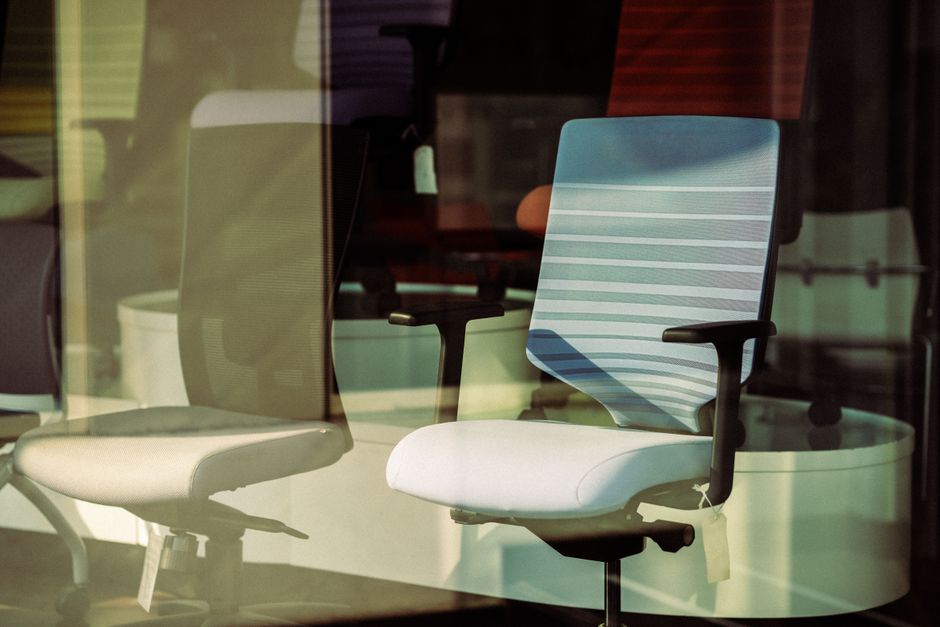
The foundation of a healthy workspace is the chair. Modern ergonomic engineering has moved beyond basic height adjustments, focusing instead on dynamic support that adapts to your body’s micro-movements. When selecting a chair for long-term use, prioritize features such as synchro-tilt mechanisms, seat depth sliders, and adjustable lumbar support to ensure your spine remains in its natural alignment throughout the day.
Top 5 Ergonomic Chair Recommendations
- Offices To Go 12110B Mesh Back Chair ($293): The premier choice for value, featuring a pivoting lumbar pad that tracks with your spine.
- Office Source Starlight High Back Luxe Task Chair ($464): Ideal for taller users, this model includes a seat slider to ensure proper thigh support.
- Element S6 Advanced Ergonomic Mesh Task Chair ($513): A commercial-grade workhorse with a 275-pound weight capacity, built for rigorous, heavy daily use.
- Global Vion Series Mesh Synchro-Tilter ($610): A perfect marriage of sophisticated, modern aesthetics and high-end functional flexibility.
- Eurotech ME2ERG-XTRM High End Ergonomic Mesh Chair ($900): The gold standard for chronic pain relief, offering unparalleled adjustability and premium materials.
Integrating Movement: The Rise of Sculptural Standing Desks
Static sitting is a primary cause of workplace fatigue. The 2026 trend favors sculptural standing desks that offer motorized sit-stand functionality while maintaining a residential aesthetic. These desks encourage frequent position changes, which improves blood flow and reduces joint stiffness. By integrating a motorized desk, you can seamlessly alternate between postures, keeping your energy levels high without sacrificing the visual appeal of your home office.
Essential Ergonomic Upgrades Beyond the Basics
To achieve a truly optimized workspace, you must look beyond the desk and chair. The following accessories are vital for maintaining a neutral posture:
- Monitor Arms: Elevate your screen to eye level to eliminate “tech neck” and reduce cervical spine strain.
- Ergonomic Keyboard Trays: Allow for a neutral wrist position, which is critical in preventing carpal tunnel syndrome.
- Footrests: Essential for users whose chair height leaves their feet dangling; proper foot support is necessary for healthy circulation.
- Task Lighting: High-quality, adjustable lighting reduces eye strain during long hours of digital document analysis.
- Anti-Fatigue Mats: Provide necessary cushioning for joints and feet during the standing portions of your workday.
Quick Comparison: Ergonomic Seating Options
| Chair Model | Primary Benefit | Estimated Price |
|---|---|---|
| Offices To Go 12110B | Best Value & Lumbar Support | $293 |
| Office Source Starlight | High-Back & Leg Support | $464 |
| Element S6 Advanced | Heavy Daily Use Durability | $513 |
| Global Vion Series | Aesthetics & Versatility | $610 |
| Eurotech ME2ERG-XTRM | Premium Adjustability | $900 |
Frequently Asked Questions
How do I choose the best chair for long hours?
Prioritize chairs with synchro-tilt mechanisms, 360-degree adjustable armrests, and seat depth sliders. These features allow the chair to conform to your specific body geometry, minimizing pressure points on your hips and spine.
What is the most important ergonomic adjustment?
While the chair is vital, the most impactful change is often monitor height. Ensuring the top third of your screen is at eye level prevents the forward-head posture that leads to chronic neck and shoulder pain.
How can I stay comfortable while working from home?
Consistency is key. Combine high-quality ergonomic furniture with a habit of taking movement breaks every 45 minutes. Use your standing desk to cycle through positions and ensure your workspace setup allows for a neutral, relaxed posture at all times.
Conclusion
Curating a high-performance home office is a strategic investment in your health and professional longevity. By focusing on adjustability and material quality, you can create a workspace that proactively mitigates the physical risks of remote work. Whether you are starting with a budget-friendly option or investing in a premium ergonomic solution, the goal remains the same: a sustainable, comfortable environment that supports your best work.