

The rise of remote work has liberated professionals from the confines of traditional office cubicles, allowing for a lifestyle where the world becomes your office. However, this freedom often comes at a physical cost. For many digital nomads, the transition from a structured corporate environment to a fluid, location-independent lifestyle means trading ergonomic chairs and dual-monitor mounts for kitchen stools and cramped coffee shop tables. Without a intentional approach to design, this lack of support can lead to chronic neck pain, repetitive strain injuries, and long-term musculoskeletal issues. Research indicates that approximately 45.5 percent of office workers report mild to severe neck pain, largely stemming from improper posture. When you consider that one out of every three dollars spent on workers’ compensation claims is linked to poor ergonomic workstations, it becomes clear that investing in your physical health is not just a luxury—it is a professional necessity for the modern nomad.
The Philosophy of Portable Ergonomics
Designing a mobile workspace is a balancing act between portability and functionality. The goal is to recreate a neutral, supportive environment regardless of your geography. A successful setup prioritizes the “neutral zone”—a position where your joints are naturally aligned, reducing stress on your muscles, tendons, and skeletal system. When you are constantly moving, your equipment must be modular, lightweight, and versatile enough to adapt to varying desk heights, chair styles, and lighting conditions.
To achieve a truly ergonomic setup, you must stop thinking of your laptop as a standalone device. When you work directly on a laptop, you are forced into a “slumped” posture: your neck must bend downward to view the screen, and your shoulders roll forward to reach the keyboard. This is a recipe for physical fatigue. By decoupling your screen from your input devices, you regain control over your alignment, allowing you to position your display at eye level while keeping your arms at a comfortable, ninety-degree angle.
Essential Gear for the Mobile Professional
Building a high-performance, ergonomic workspace requires a curated selection of tools designed for travel. Focusing on these five core components will transform any temporary location into a sustainable office.
1. The Adjustable Laptop Riser
The foundation of any ergonomic setup is elevating your screen. A portable laptop riser is the single most effective tool for eliminating neck strain. By bringing the top third of your screen to eye level, you allow your cervical spine to maintain a neutral, upright position. Look for models that are collapsible and lightweight, capable of supporting your laptop securely while offering multiple height adjustments to accommodate different table heights.
2. Compact Mechanical or Slim Keyboards
Once your laptop is elevated, you cannot use its built-in keyboard without straining your shoulders. A compact, wireless keyboard is essential. Because space is limited in a traveler’s bag, look for tenkeyless (TKL) or 60-percent layouts that provide a full typing experience without the bulk of a number pad. Wireless connectivity via Bluetooth or a dedicated 2.4GHz receiver ensures a clean, cable-free environment that is easy to pack and deploy.
3. The Ergonomic Vertical Mouse
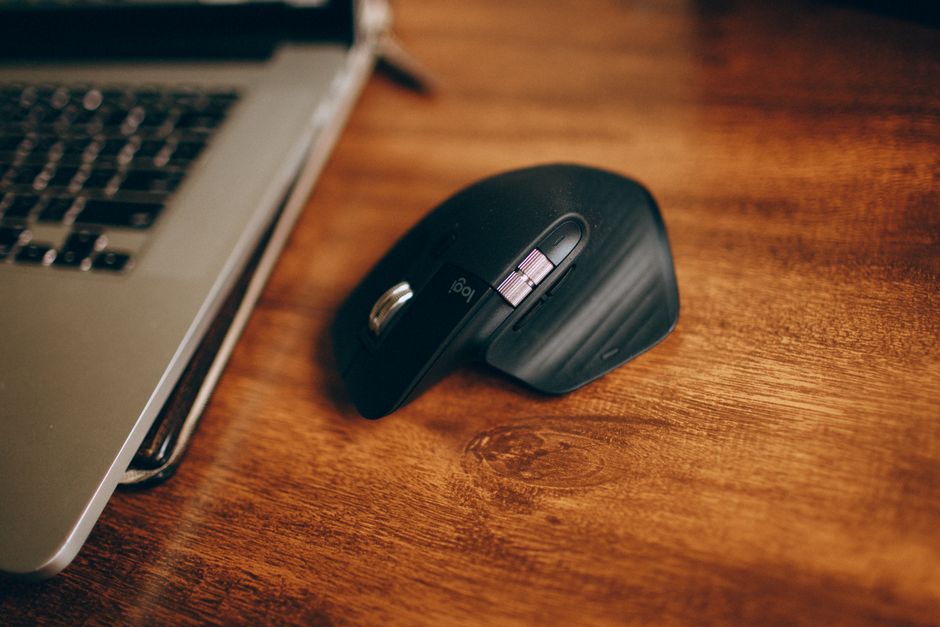
Traditional flat mice force the forearm into a pronated position, which can lead to wrist compression and nerve strain over time. A vertical mouse is designed to mimic a natural “handshake” position, keeping the wrist in a neutral, vertical alignment. For digital nomads, there are now high-quality vertical mice specifically designed for travel, featuring compact footprints and long battery life to ensure you remain comfortable during long editing or coding sessions.
4. Portable Docking Station
Modern ultrabooks often lack the necessary ports for a full workstation experience. A portable docking station acts as the central hub of your digital nomad setup. It allows you to connect your external monitor, keyboard, mouse, and external drives with a single cable. This “plug-and-play” capability reduces the time spent setting up and packing down, encouraging you to prioritize your health even when you are on a tight schedule.
5. Lumbar Support Solutions
While you cannot carry an ergonomic chair in your luggage, you can carry a portable lumbar support pillow. Many cafe chairs are designed for aesthetics rather than comfort, offering no support for the natural curve of the lower back. An inflatable or high-density foam lumbar cushion can provide the necessary structure to prevent slouching, helping you maintain a healthy posture throughout the workday.
Optimizing Your Environment for Productivity
Ergonomics is not solely about hardware; it is also about how you interact with your surroundings. Even the best equipment will fail if the environmental design is poor.
Lighting and Glare
Eye strain is a major contributor to general fatigue and headaches. When working in different locations, always position yourself so that light sources are to the side of your screen rather than directly behind or in front of it. If you are working near a window, use blinds or curtains to diffuse harsh natural light, which can create glare and force you to lean closer to the monitor, compromising your posture.
Micro-Breaks and Movement
The human body is designed for movement, not for static postures. Regardless of how well-optimized your workspace is, you must incorporate movement into your routine. Follow the 20-20-20 rule: every 20 minutes, look at something 20 feet away for 20 seconds to reduce digital eye strain. Additionally, take five minutes every hour to stretch your neck, shoulders, and wrists. These micro-breaks are essential for circulation and muscle recovery.
Frequently Asked Questions
How do I maintain an ergonomic setup in a cafe with low tables?
Low tables are notoriously difficult for ergonomics. If you cannot find a better workspace, try to sit on a cushion to raise your own height, or use a laptop riser to bring the screen up as high as possible. If the table is too low to comfortably type, prioritize the screen height and accept that you may need to take more frequent breaks to avoid shoulder tension.
Is it worth the extra weight to carry ergonomic gear?
While the weight of your luggage is a valid concern for nomads, the cost of chronic pain is significantly higher. Modern ergonomic accessories are designed specifically for portability. By choosing lightweight, foldable options, you can add only a few pounds to your kit while gaining significant long-term health benefits and increased daily productivity.
What is the most important piece of equipment for a nomad?
The laptop riser is arguably the most critical component. It is the only item that directly addresses the primary cause of neck pain in remote workers. If you are limited by budget or space, start with a riser and an external keyboard; these two items alone will provide the most significant improvement to your daily posture.
Conclusion
The digital nomad lifestyle offers unparalleled freedom, but it requires a proactive approach to physical health. By investing in a modular, ergonomic setup, you are not just buying gadgets; you are protecting your most valuable asset: your body. A well-designed workspace allows you to maintain focus, minimize the risk of repetitive strain, and sustain your career on the road for years to come. Start small, prioritize your posture, and remember that the best workspace is one that adapts to you, not the other way around. With the right tools and a commitment to movement, you can thrive as a professional anywhere in the world.